EVERY INVOICE,
BATCH & BILL —
READ ONCE, NEVER RE-TYPED
Zero expired stock write-offs. Real net profit calculated directly from the purchase rate of every batch sold.
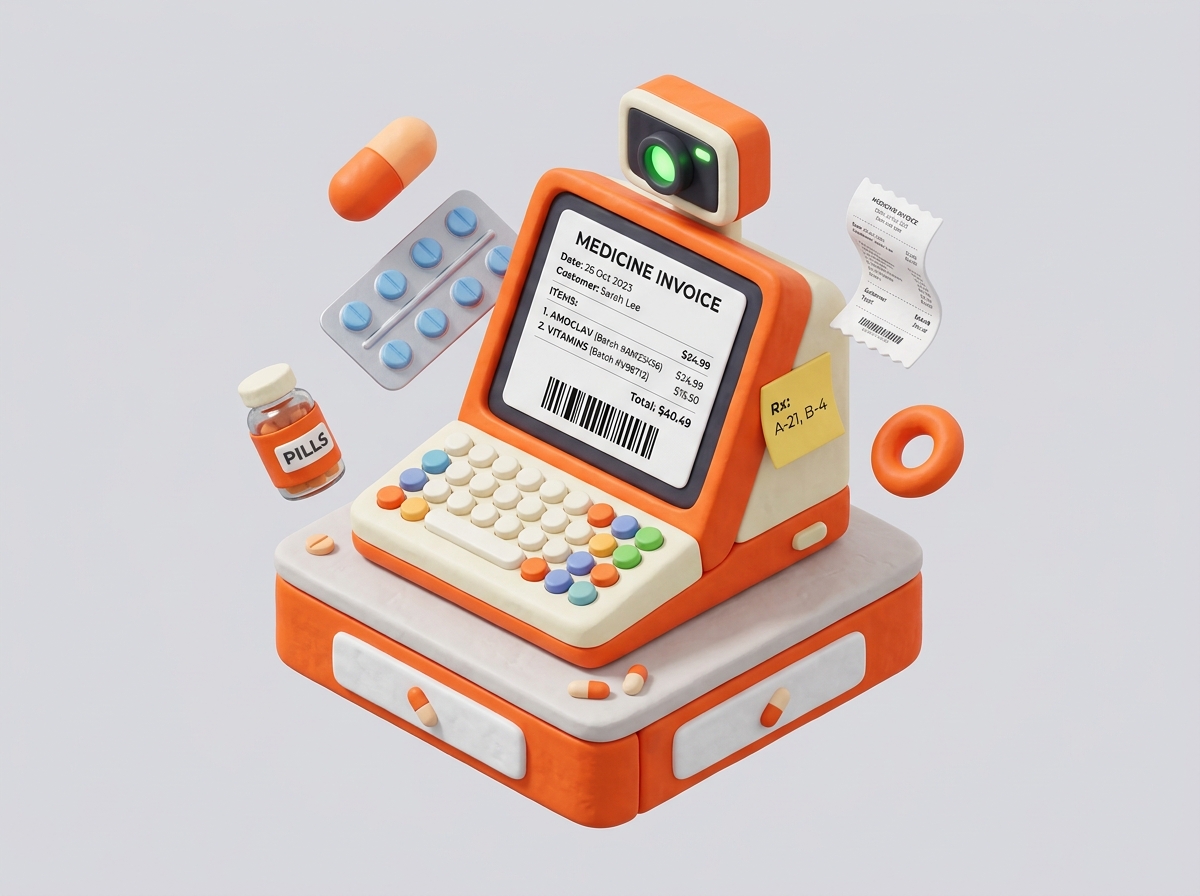

Pharma Inf reads a supplier invoice the moment it arrives, holds every batch by its expiry date, sells the oldest stock first, and closes the day with a profit number you can actually trust — not one reconstructed from memory at month end.
From the first supplier delivery to daily profit reconciliation — we partner with pharmacies for precision counter control.
Four things every pharmacy counter deals with by hand
None of these are new problems. They're just expensive ones to keep solving with a notebook and a good memory.
Pharma Inf replaces all 4 manual steps with automated OCR & FEFO rules.
The invoice gets typed in twice
Once by the supplier, once again by whoever is free at the counter — and every re-type is a chance to swap a batch number or drop a zero from a rate.
Expiry is tracked by memory
Someone has to remember which shelf has the batch expiring next month, or it sits behind newer stock until it's a write-off.
Profit is a month-end guess
Sales rate minus purchase rate on the last invoice you can find — not the rate actually paid for the batch that went out the door.
Everyone can see everything
A billing clerk and the accountant use the same login, so there's no real record of who adjusted stock or discounted a bill.
Two ledgers, one connected system
Buying stock and selling stock are usually tracked in different places. Pharma Inf keeps them as one connected sequence, so a sale can never outrun what was actually received.
Purchase to stock
- 1Input
Invoice arrives
Photographed, uploaded, or dropped in as a PDF.
- 2OCR AI
Read automatically
Medicine, batch, expiry, quantity, rate, and GST are pulled out.
- 3Audit
Checked against your rules
Duplicate invoices, expired batches, and rate above MRP are flagged.
- 4Approval
Confirmed by a person
A pharmacist or manager corrects anything the scan got wrong.
- 5Synced
Stock and ledger update
Batches, valuation, and the supplier's outstanding balance move together.
Sale to profit
- 1POS Scan
Medicine identified
Barcode scan or a name search at the counter.
- 2FEFO First
Oldest batch offered first
FEFO picks the batch expiring soonest, split across batches if needed.
- 3Instant Tax
Bill calculated
Rate, discount, and GST resolve to a total in the same screen.
- 4Settlement
Payment recorded
Cash, UPI, card, or credit against a customer account.
- 5Real Profit
Cost and profit logged
COGS is booked against the exact batch that was sold, not an average.
What actually happens at the counter
The batch closest to expiry always sells first
A sale for units of Amoxicillin doesn't just check total stock — it walks the batches in order of expiry and splits the sale across them automatically.
Manual entry when a scan fails
Poor lighting, a torn corner, faint print — anything unreadable drops straight into a normal entry form. Nothing blocks on the scanner.
Confidence, shown per field
Fields the reader is unsure about are marked before you confirm, not discovered later on the shelf.
Reorder suggestions, not reorder decisions
Expected demand, lead time, and current stock produce a suggested quantity. A person still approves the purchase.
A role for every counter job
A pharmacist, a billing clerk, and an accountant each see only what their work requires — and every stock change is signed with a name.
One system, eight different jobs
Access follows the job, not the login. What someone can see and change is set by their role from the day their account is created.
Everything — profit, staff activity, and settings
Everything — profit, staff activity, and settings
Purchasing, stock, suppliers, and sales oversight
Medicine sales and batch information
Customer billing, barcode scanning, and payments
Receiving stock and batch checks
Supplier coordination and invoice processing
Expenses, outstanding balances, and profit reports
Read-only access to every report and transaction
Profit calculated from the batch that was actually sold
Most pharmacy math uses one purchase rate per medicine. Pharma Inf keeps the cost of every batch separately, so a sale is costed against what that specific stock was bought for — even when three batches of the same medicine were bought at three different rates.
Comprehensive Pharmacy Ledgers
Sales & purchase
RevenueDaily, weekly, monthly, and yearly totals, by medicine, batch, or supplier.
Stock & expiry
ValuationCurrent valuation, near-expiry batches, and slow or dead stock.
Expenses
OverheadsRent, salaries, electricity, and delivery, by category and period.
Outstanding
ReceivablesWhat's owed to suppliers and what's owed by credit customers.
Bring one invoice.
We'll show you the rest.
A walkthrough runs on your own supplier invoice and your own medicine list, so what you see is what your counter would actually look like on day one — not a demo dataset.
- ✓30 minutes, over a call or in person
- ✓No setup required beforehand
- ✓Pricing discussed only after you've seen it working